Cyber Operations
How PixelScan Knows When a Browser Is Telling Two Different Stories
By Daniel Okechukwu
Dannyokec Cyber Security and Software Programming Limited, DCSSP RC-2006105
Most people think a browser fingerprint is just a name tag.
Change the name tag from “Mac” to “Windows”, change the screen size, add a new user agent, and surely the browser now looks like Windows. That sounds reasonable until you remember how people identify each other in real life.
You can wear a doctor’s coat. You can carry a stethoscope. You can even introduce yourself as a doctor. But if someone asks you to explain an X-ray, checks the hospital record, and notices you arrived in a mechanic’s van with oil on your hands, the story starts falling apart.
That is roughly what fingerprint scanners such as PixelScan are doing. They are not looking for one magic field. They are listening to many small details at once, then asking one simple question:
Do all these details sound like they came from the same real device?
This is the part people miss. A fingerprint is not one answer. It is a conversation between dozens of answers.
Chapter 1: The browser wears a badge, but the machine leaves footprints
Every browser can introduce itself with a user agent. It might say it is Chrome on Windows, Chrome on Android, Safari on an iPhone, or Chrome on a Mac.
That user agent is the badge at the front desk. It matters, but it is not the whole building.
Modern browsers also expose Client Hints. These are extra details about the supposed platform, whether it is mobile, the processor family, browser version, model name, and operating system version. PixelScan can compare those details with the user agent.
If the badge says “Windows” but the extra paperwork says “macOS”, that is an easy contradiction. The same problem happens when a browser claims to be Android but behaves like a desktop browser with a mouse, a fine pointer, and no real touch capability.
Think of it like someone saying they are calling from Lagos, while their phone number, weather report, and location pin all point somewhere else. Each signal alone might have an explanation. Put them together and the explanation gets difficult.
The important point is that changing a label is easier than changing the system behind the label. A script can alter a few JavaScript values. It cannot casually rewrite every part of the browser, graphics driver, audio stack, fonts, input system, and operating system that produced the rest of the evidence.
Chapter 2: The graphics card is often the witness that does not forget
One of the strongest witnesses is WebGL.
WebGL is what websites use when they need the browser to talk to graphics hardware. When a page creates a WebGL canvas, it can learn about the graphics renderer, supported extensions, shader behaviour, and the way the browser translates graphics work for the operating system.
That gives PixelScan more than a string. It gets a pattern.
A real Windows Chrome session often has traces of Windows graphics technology such as Direct3D. A real Mac Chrome session normally shows the influence of Apple’s Metal graphics stack. Android has mobile GPU families and drivers. These environments do not only look different in one place. They create different combinations of renderer names, capabilities, canvas output, and graphics behaviour.
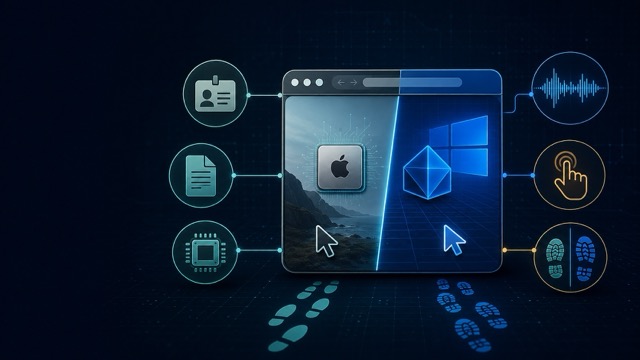
So imagine a visitor walks in wearing a Windows badge, but every footprint they leave is shaped like an Apple shoe.
They might change one visible WebGL label from “Apple GPU” to something that sounds like Windows. But the scanner can still see the surrounding story. The available graphics extensions may fit a Mac. The canvas output may fit a Mac. The way graphics commands are processed may fit a Mac.
That is why a Mac browser pretending to be Windows can look worse after more changes are added. The visible label may get closer to the target, while the deeper evidence stays native to the host machine. The result is not one clean story. It is a patched-up story with conflicting details.
The same applies to fonts, audio, speech voices, media support, screen behaviour, and input. A phone is not only a smaller screen. It has touch behaviour, mobile graphics, mobile browser rules, and a different operating system underneath.
Chapter 3: Sometimes “Scanning” never ends because one witness never answers
Not every failure is an inconsistency score. Sometimes a scanner sits on “Scanning” and never finishes.
This can happen because a fingerprinting page is waiting for several browser checks to finish. Picture a meeting where everyone must answer roll call before the meeting can move on. If one person never responds, the meeting stays stuck.
Some of the checks involve Web Audio, WebRTC, WebGL, and Client Hints. These checks often run asynchronously. In plain English, the page starts a job, waits for the browser to return a result, then moves to the next step.
If a browser feature is disabled, replaced with a broken imitation, or made to return a Promise that never settles, the scanner can wait forever. The same thing can happen if WebRTC candidate gathering is blocked and the page has no proper timeout, or if a graphics context fails in a way the scanner did not expect.
This does not automatically mean the browser is malicious. It means the browser gave the page an incomplete technical conversation. From the scanner’s point of view, a real browser feature normally completes, fails clearly, or reports that it is unavailable. A feature that starts talking and then goes silent is unusual.
That is why the better engineering approach is not to keep piling on overrides. It is to keep browser APIs behaving like real browser APIs. If a feature is present, it should work. If it is unavailable, it should fail cleanly. And if a browser claims to be a device, the rest of the environment should genuinely belong to that device class.
The practical lesson
PixelScan is not reading minds. It is checking whether the browser’s story agrees with itself.
The user agent is the introduction. Client Hints are the paperwork. WebGL is the set of footprints. Audio, fonts, input, WebRTC, canvas, and browser prototypes are the small details that people rarely think about until they do not match.
The cleanest result comes from running the matching browser on the matching platform. Mac profiles on macOS. Windows profiles on Windows. Android profiles on Android. iPhone profiles on WebKit running in the Apple environment.
Everything else is an attempt to make one witness speak for a room full of witnesses.
And that is why PixelScan can spot inconsistency. Not because one field says the wrong thing, but because the browser is telling two different stories at the same time.